
The short version
- Unzip the download and move the
ai-scapes-extensionfolder somewhere stable. - Open Chrome's extensions page and turn on Developer mode (top-right).
- Click Load unpacked and select that folder.
- Open the card's Details and turn on Allow in Incognito.
- Switch to the consent tab that opened, agree, sign in, and click Start study.
New to Chrome extensions? The full walkthrough with screenshots is below.
What you need
- A Mac running macOS 12 (Monterey) or later, or any modern Linux desktop distribution.
- Google Chrome (macOS or Linux): download here if you don't have it. Chromium-based browsers (Chromium, Brave, Edge, Vivaldi) also work as long as they support Manifest V3.
- A Google account you are willing to sign into (the personalized side of the comparison).
- The extension
.zip: download it here if you haven't yet. - About 10–15 minutes.
1. Unzip the extension
-
Open Finder and go to wherever you saved
ai-scapes-extension.zip(usually~/Downloads). -
Double-click
ai-scapes-extension.zip. macOS unzips it into a folder namedai-scapes-extension. -
Move that folder somewhere stable, e.g.
~/Documents/ai-scapes-extension. Chrome loads it from disk, so don't delete or move it afterward. -
Open the folder and confirm
manifest.jsonsits at the top level.
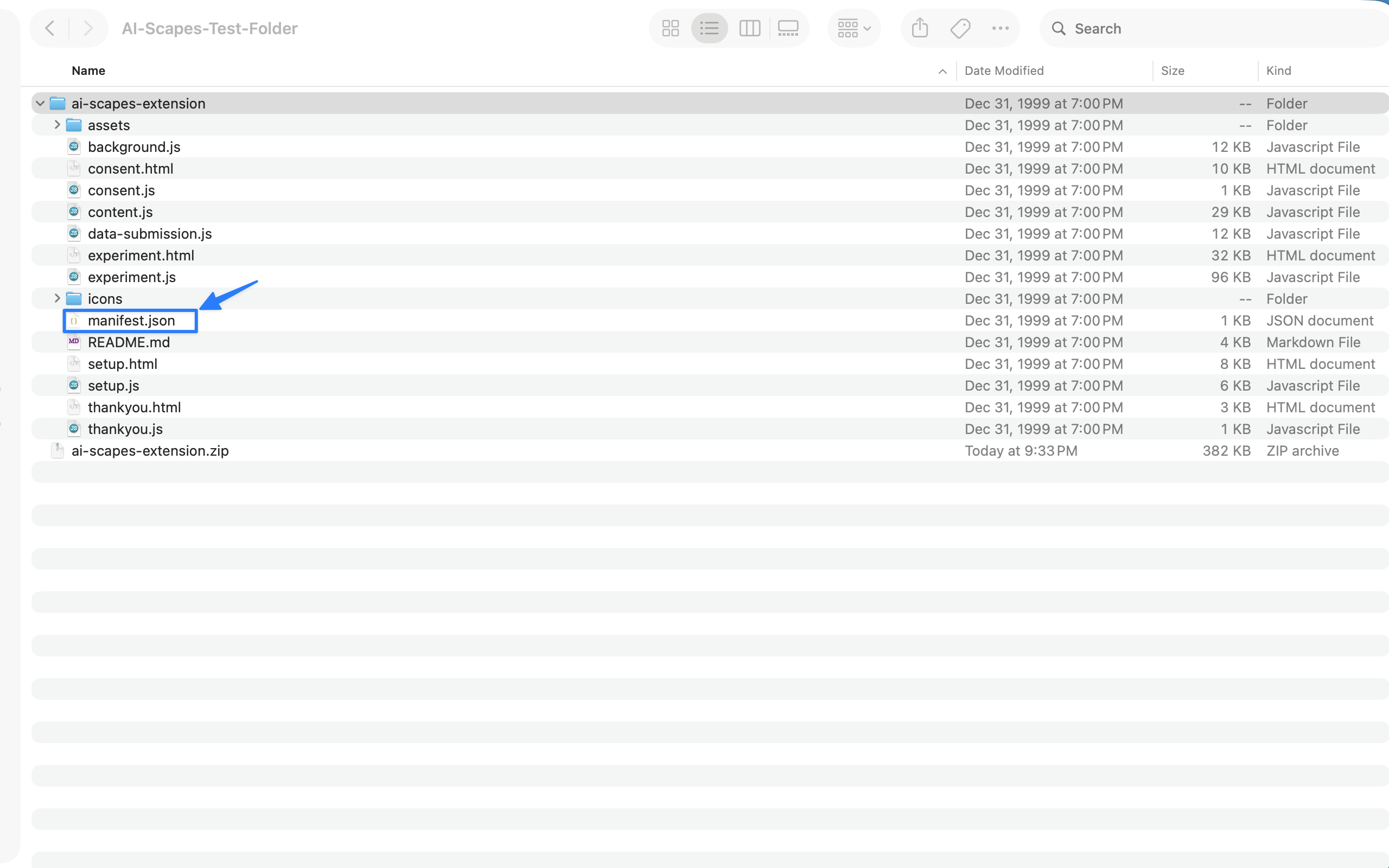
manifest.json should be at the top level.manifest.json directly.
2. Open Chrome's extensions page
- Open Google Chrome.
- Go to the extensions page. Copy the address below, paste it into Chrome's address bar, and press Return.
- Turn on Developer mode using the toggle in the top-right corner.
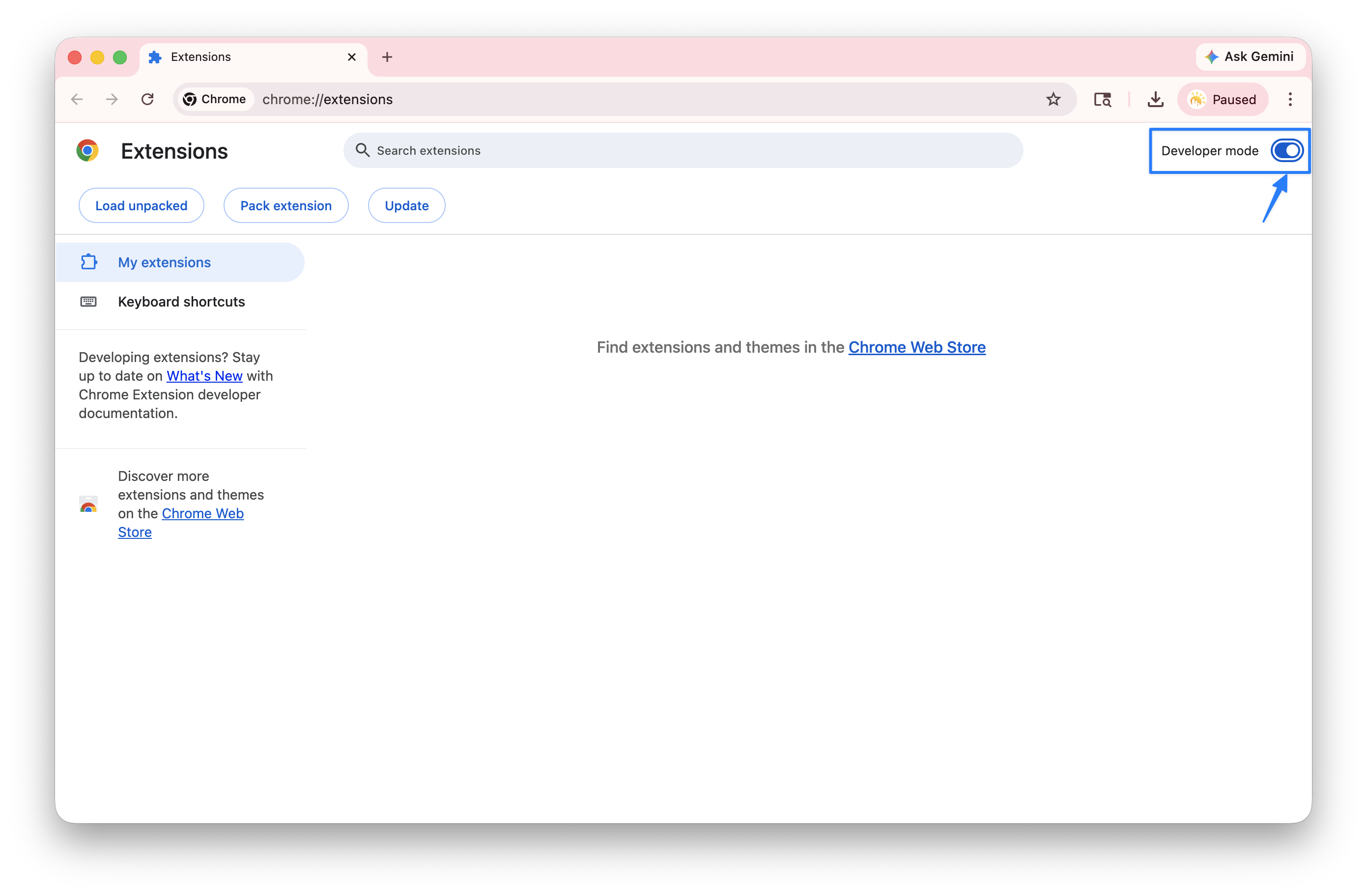
chrome://extensions.3. Load the unpacked extension
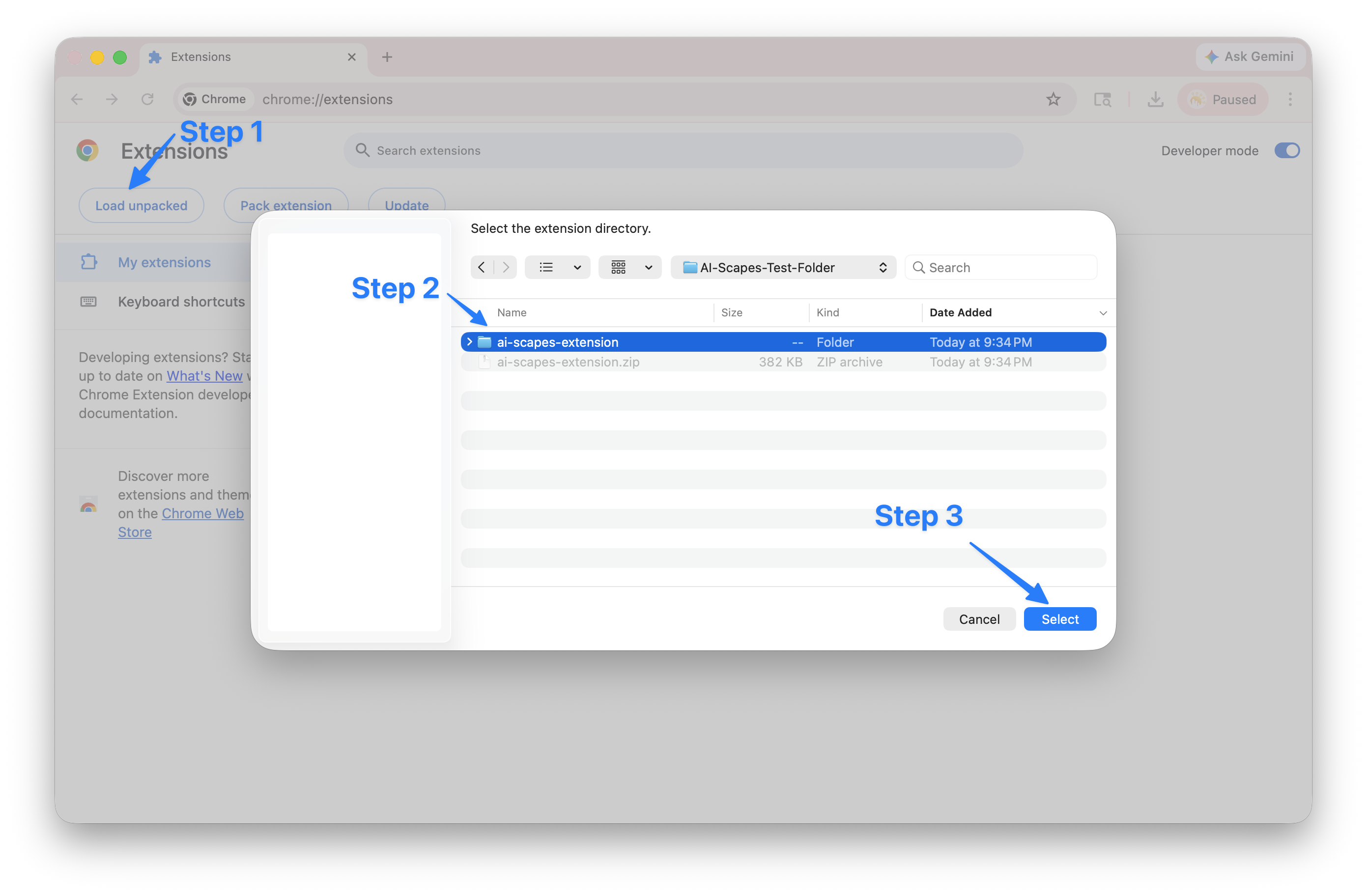
- Click Load unpacked (top-left, once Developer mode is on).
-
Select your
ai-scapes-extensionfolder, then click Select (macOS) or Open (Linux). -
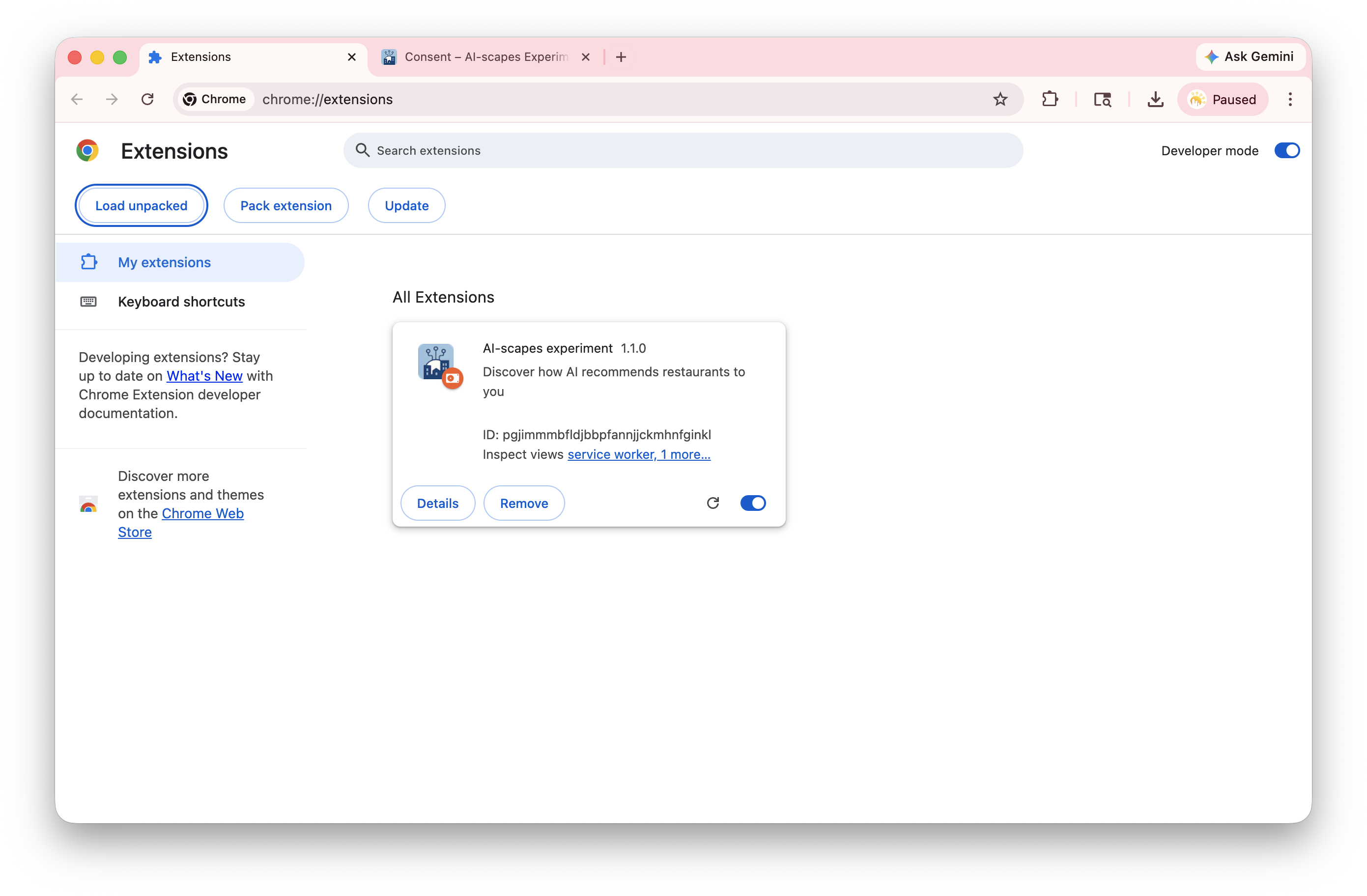
The AI-scapes experiment card appears. If you see a
red error banner, you picked the wrong folder — reselect the one
containing
manifest.json.
4. Allow the extension in Incognito
- Click Details on the AI-scapes card.
- Turn on Allow in Incognito (scroll down to find it).
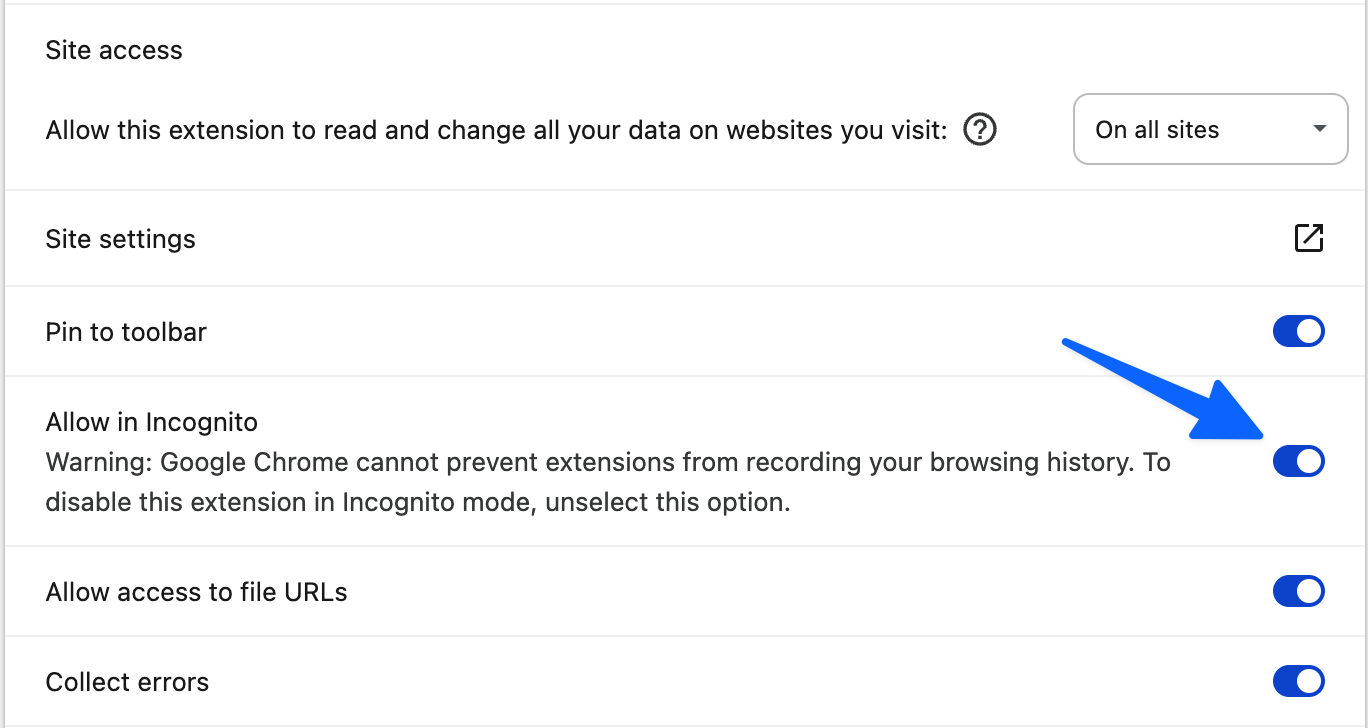
5. Start the study
A consent tab opened automatically when you loaded the extension in step 3. Switch to it and work through three quick screens:
- Consent page: tick the eligibility box, then click I Agree.
- Setup page: sign into Google if you aren't already, then click Start Experiment.
- Experiment page: answer the three-question questionnaire, then click Start study.
The extension opens 18 small Maps windows in two waves (9 signed-in, then 9 incognito). Each auto-scrolls, collects its restaurant list, and closes itself. The run takes about 2–3 minutes.
Troubleshooting
"Failed to load extension" error
You picked a folder that does not contain
manifest.json at the top level. Re-select the folder
from step 1, typically the one named ai-scapes-extension
whose contents include manifest.json,
experiment.html, and an icons/ folder.
The Incognito toggle has no effect
Quit Chrome completely (Cmd+Q, not just close the window) and re-open it. The incognito permission is read at startup.